
Compono for iPhone
Compono's own app. Installs through TestFlight and works with a Russian Apple ID.
iOS 16 or newer · free with a Compono subscription
Why TestFlight, not the App Store
VPN apps that support VLESS are being removed from the Russian App Store, so installing a working client there is often impossible.
TestFlight is Apple's official tool for beta versions. It is available in the Russian App Store and works with a Russian Apple ID, including for relatives and friends who need a working VPN.
Install in 5 steps
- 1
Install TestFlight
TestFlight is Apple's free app for beta versions. If it is already on your iPhone, skip to step 2.
TestFlight on the App Store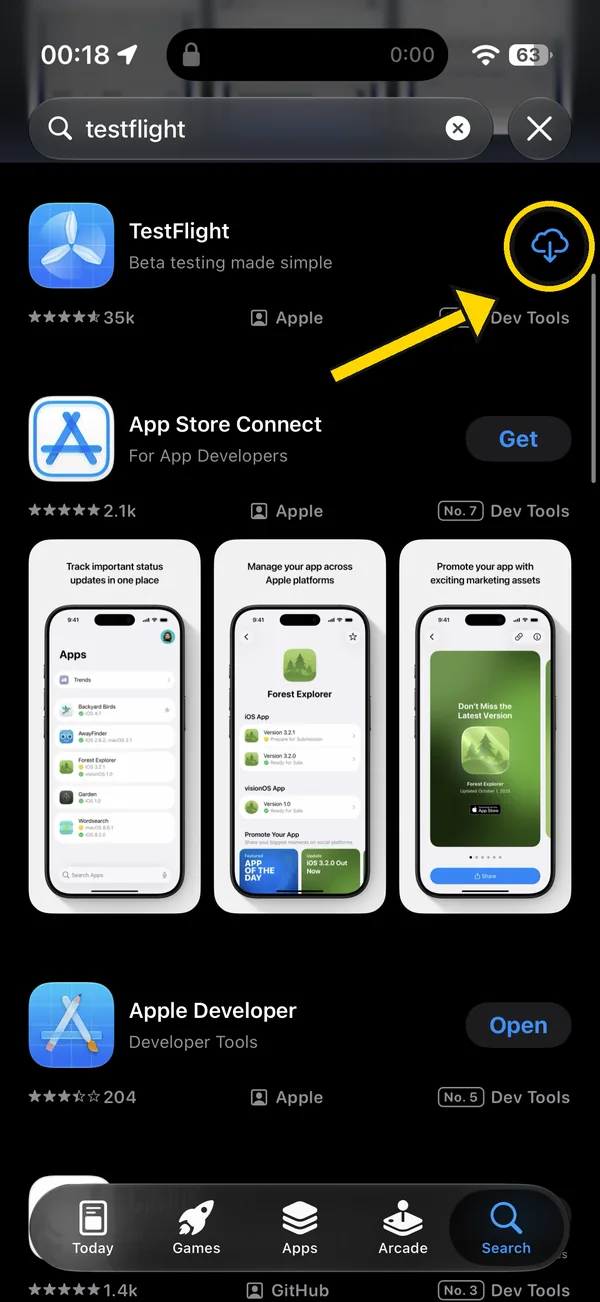
- 2
Open the Compono invitation
Open the invitation link on your iPhone, tap Accept, then Install.
Compono invitation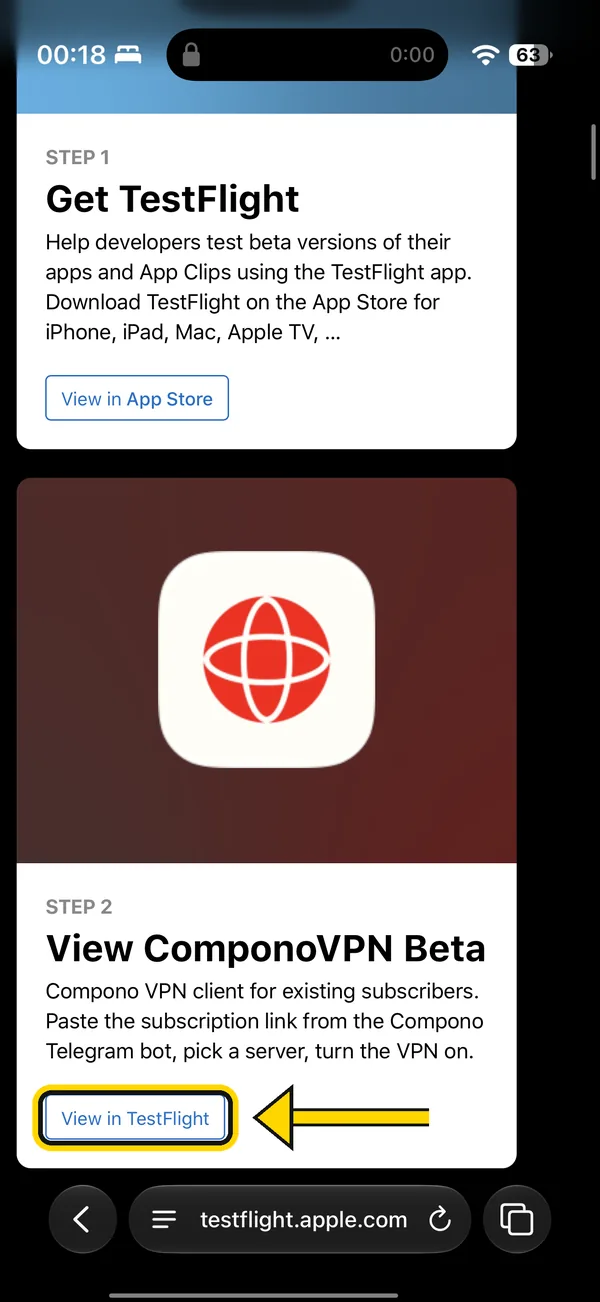
- 3
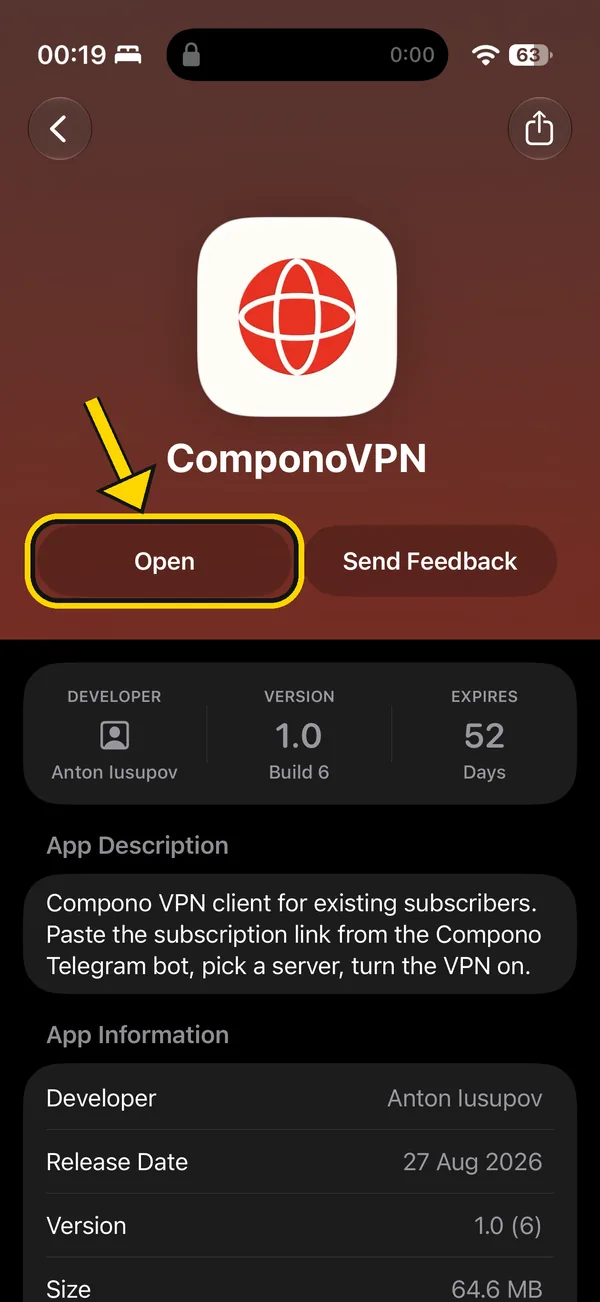
Open ComponoVPN in TestFlight
Launch ComponoVPN from TestFlight or from your Home Screen.
- 4
Add your subscription from @compono_bot
In the bot tap Connect and open the step-by-step guide. On the connect page choose “Compono for iPhone” and tap “Import subscription”: the app opens with your subscription. If it does not open, launch the app, copy the link in the bot and tap “Paste link from clipboard”.
@compono_bot - 5
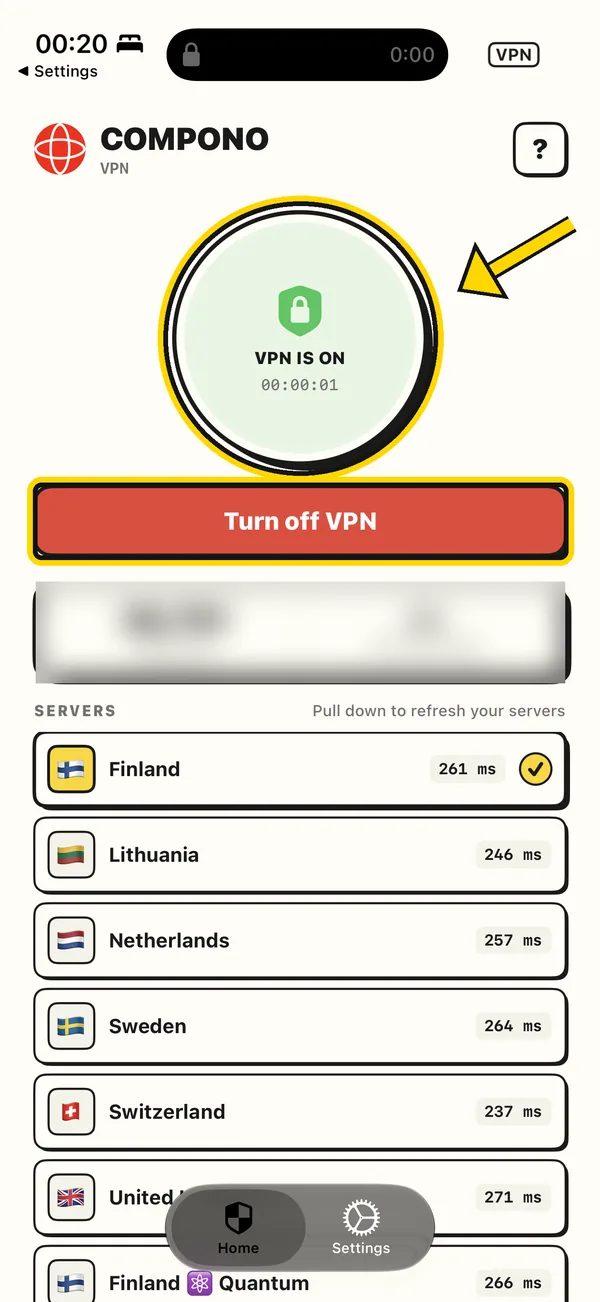
Turn on the VPN
Tap the circle or the button.
FAQ
Which iOS version do I need?
iOS 16 or newer.
How much does the app cost?
The app is free; you need a Compono subscription.
I don't have a subscription. What now?
Get one in @compono_bot on Telegram. Then tap Connect in the bot, choose “Compono for iPhone” on the connect page and tap “Import subscription”.